
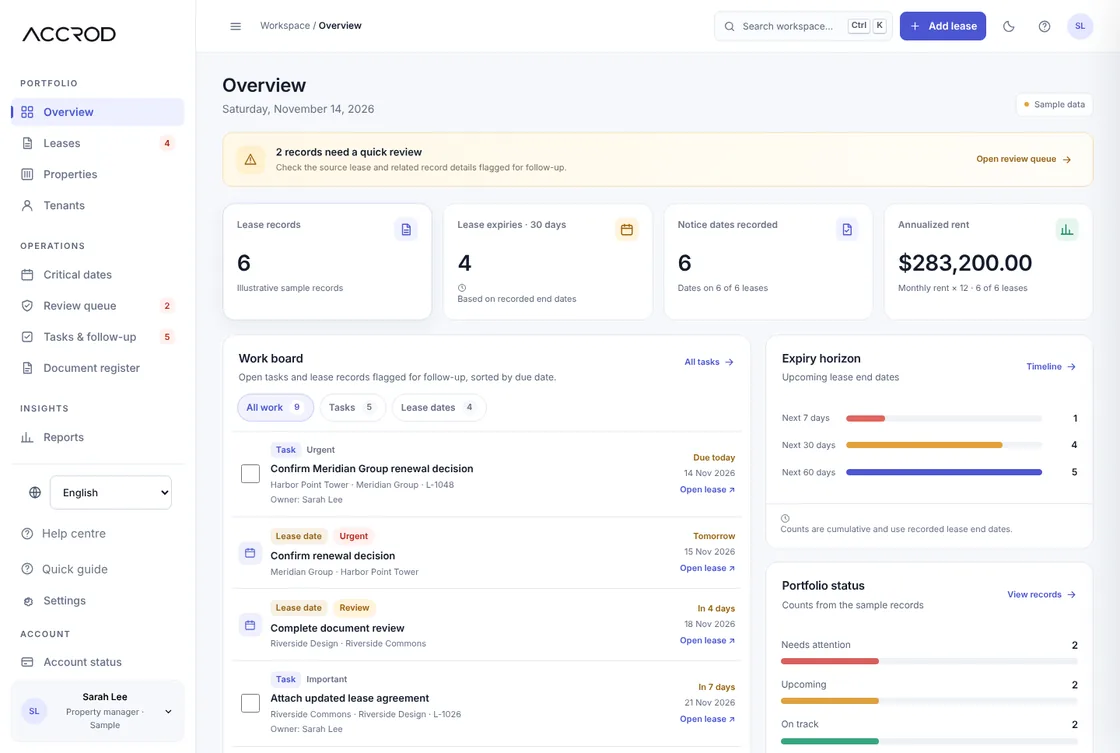
Link each lease to its property and tenant, review dates entered by your team, and give follow-up a clear place. Accrod is focused on lease administration—not the accounting, payment or maintenance workflows handled by a wider property-management platform.
What is lease management software?
Lease management software helps property owners, administrators and real-estate operations teams keep lease information organized after an agreement is signed. Depending on the product, it may track lease terms, renewal and notice dates, related documents, properties, tenants, tasks and portfolio-level status across residential, commercial and mixed portfolios.
For a small team, the practical value is not another screen of numbers. It is being able to answer everyday questions quickly: Which lease needs attention next? Where is the current record? Who is handling the follow-up? What should be reviewed before a date arrives?
A focused lease-management workspace
Accrod brings the work between signing and renewal into one place. Keep the key context together so the team can move from a date or warning to the relevant lease record and next action.
Critical dates with context
Track the dates your team has entered, distinguish a lease end date from a contractual notice deadline, and make the reason for each on-screen warning clear. The preview shows dates inside the workspace only; it does not send external reminders. Always verify dates against the executed agreement and amendments.
Connected lease, property and tenant records
Search should reflect how people remember information. A user may know the property, tenant, suite or lease reference rather than the exact screen where the record lives.
Documents and follow-up in one workflow
A missing document reference or unresolved question should point to a related record and a next step. A status badge by itself is not enough: show why the item needs attention and what a user can do.
Follow one lease through the work.
See the three everyday screens that connect a lease record to a date and the follow-up it needs. Every screen below uses fictional sample records.
Start with the lease, not a scattered file.
Search and filter the lease register by tenant, property, status or timing. Open a record to review its linked context and next step.
Open the lease register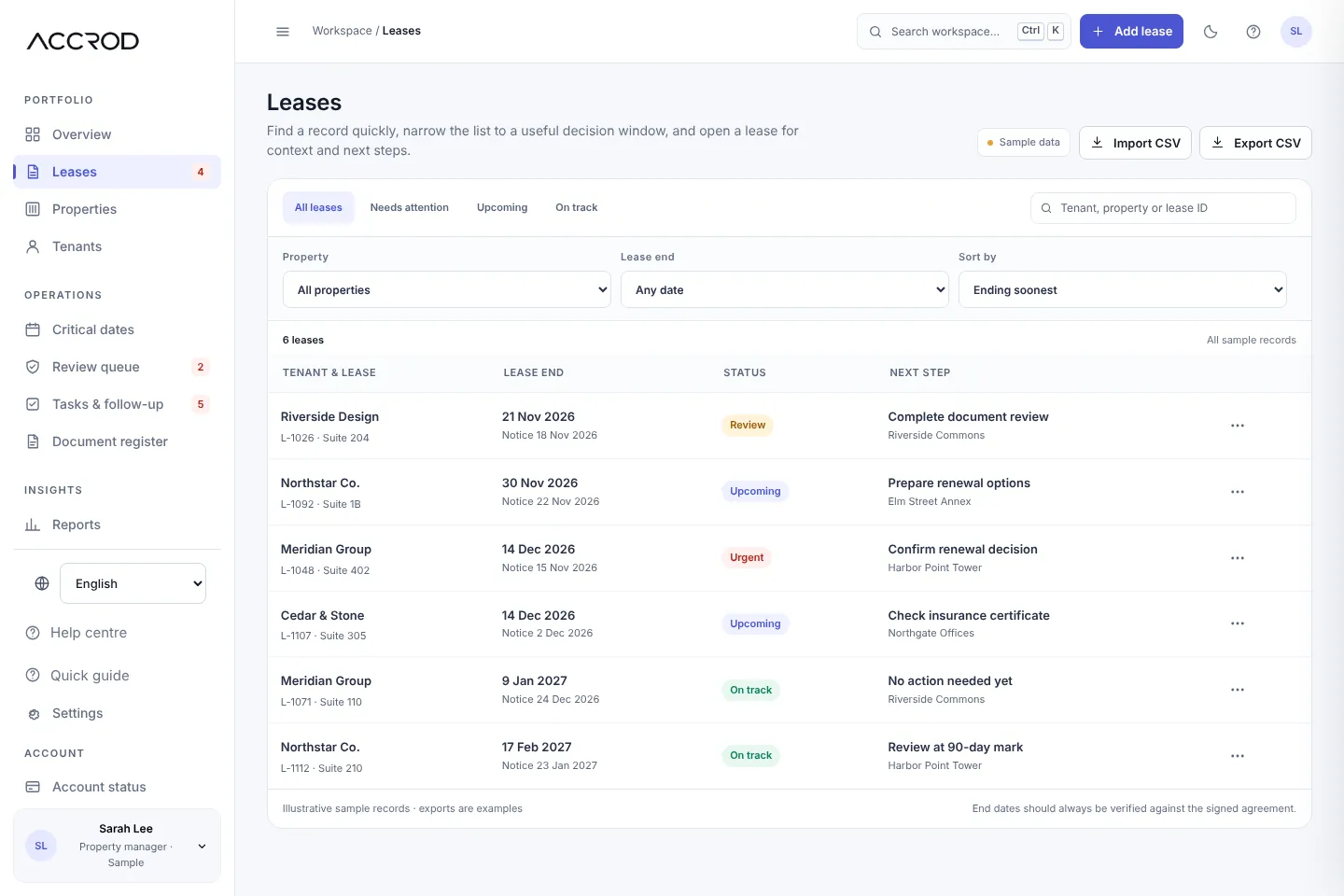
Keep the notice target separate from lease end.
Review recorded notice and expiry events in one timeline. The preview organizes entered dates; it does not verify the agreement or send a reminder.
Open critical dates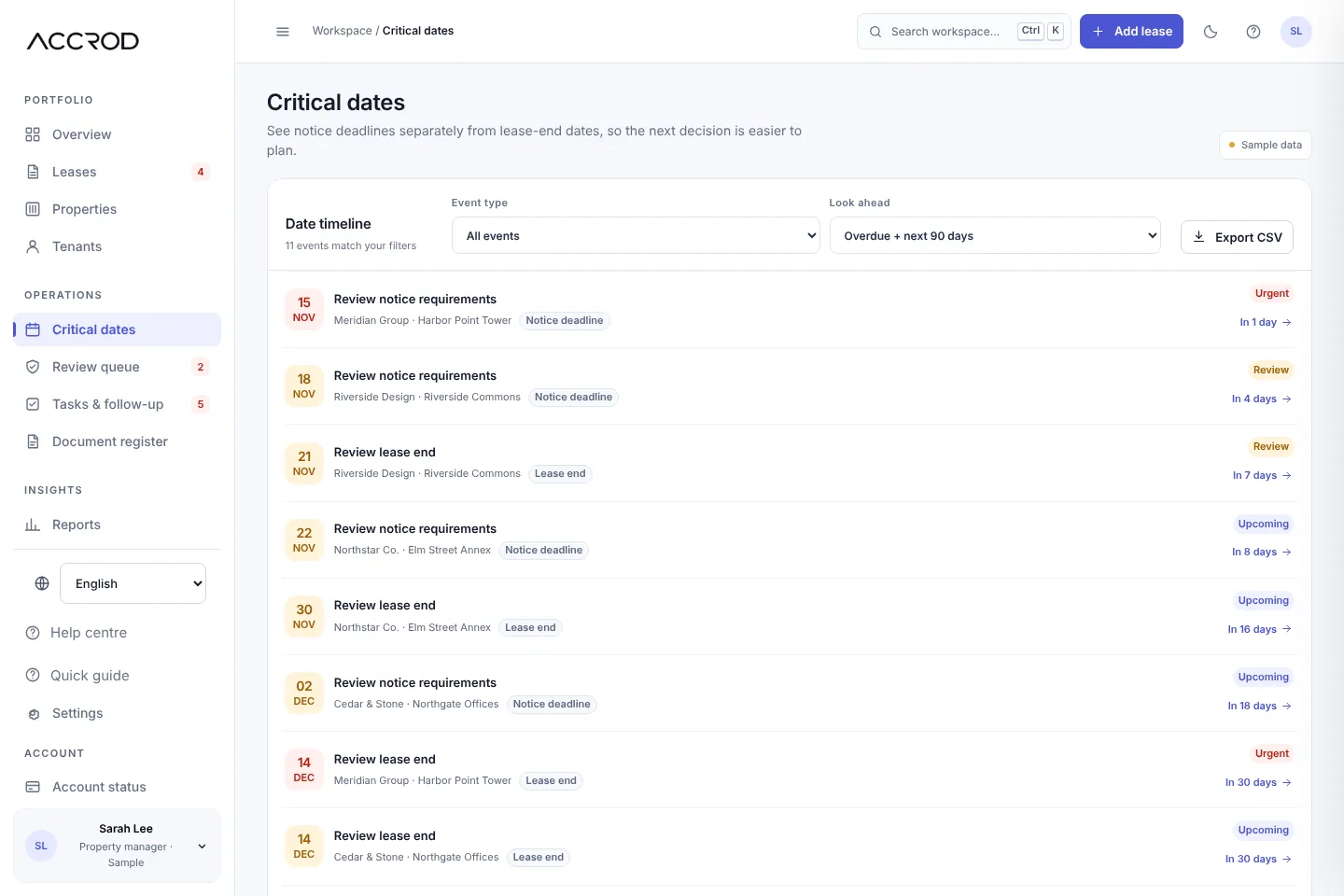
Keep the next action tied to its lease.
See open and completed tasks, the related lease, a planning date and any owner label recorded. Verified team assignment and external notifications are not connected.
Open follow-up tasks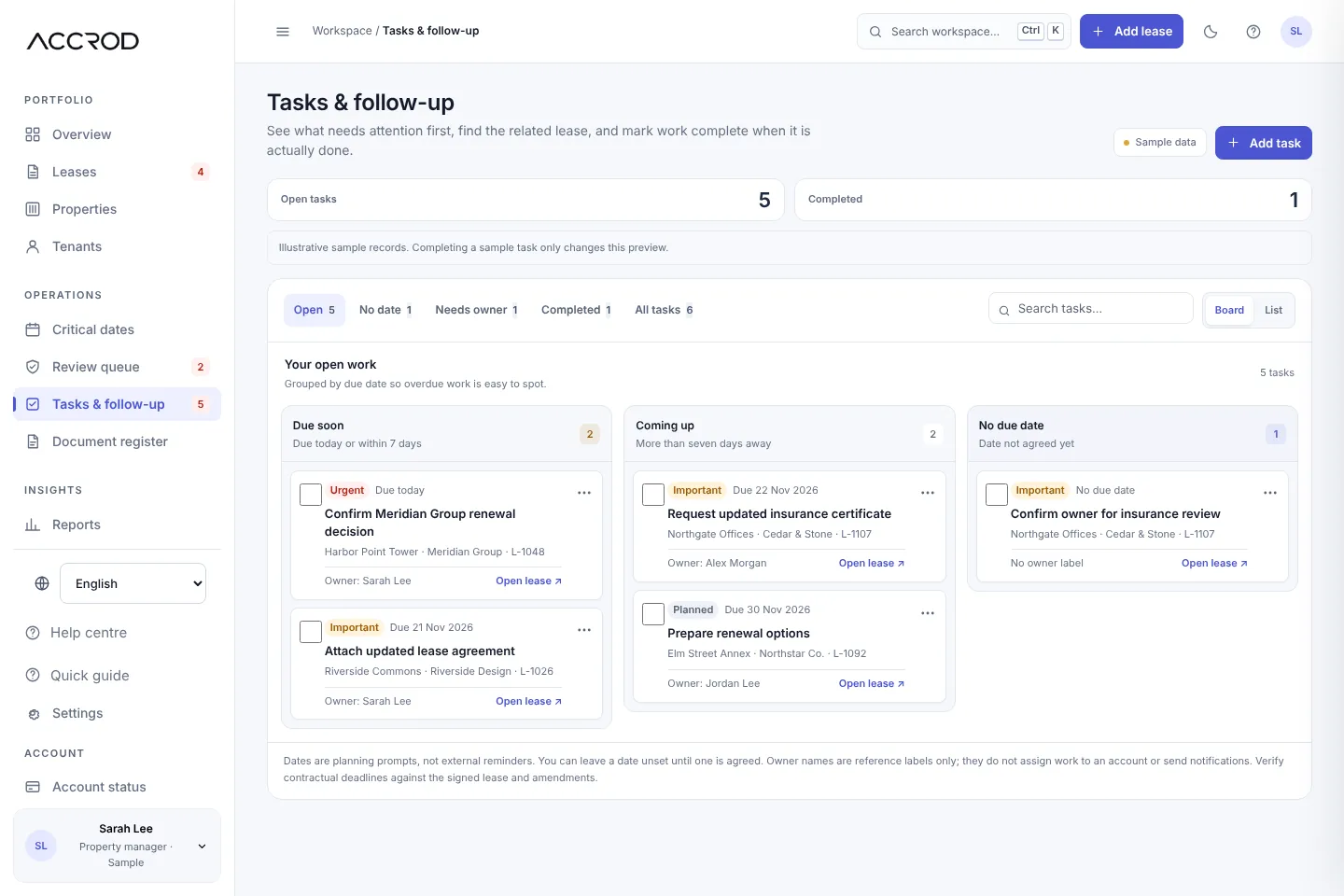
Preview only: edits are browser-local and do not sync to an account. No confidential lease or tenant data should be entered.
In normal local mode, edits are held in this browser's local storage on this device; they do not sync to a server or account. Use fictional sample records only—do not enter confidential lease or tenant information. The preview does not send email, SMS or calendar reminders.
Who should evaluate Accrod first?
The strongest segment to validate is an independent commercial-property owner or an in-house administrator responsible for that owner’s portfolio. Qualify by the work that keeps breaking—not by an arbitrary lease-count threshold.
- You manage your own commercial properties, or maintain records for one owner or organization.
- A recent renewal, amendment or notice review exposed a gap in how dates are verified or follow-up is assigned.
- Lease facts, dates and next steps are split across spreadsheets, calendars, email and shared files.
- You can keep accounting, payments and maintenance in the tools you already use.
You need one clearer review workflow
You want to connect a lease record to the dates and follow-up you review, while keeping your existing accounting and payment systems.
You manage properties for multiple clients
The current preview does not provide isolated client workspaces, cloud collaboration, server-enforced roles, rent collection, accounting, maintenance operations, private file storage or live external reminders.
A smaller portfolio is not automatically a fit, and a larger one is not automatically excluded. The deciding question is whether the recurring lease-review and follow-up workflow is painful enough to justify a dedicated tool.
Accrod is not positioned to replace rent collection, property accounting, maintenance ticketing, tenant portals, automated lease abstraction or private document storage. Those workflows require broader product scope and, in several cases, backend services that are not connected in this preview.
How to choose lease management software
- Start with your work. List the dates, fields, documents and reminders you actually manage.
- Check the data model. Make sure lease records can connect to properties, tenants, amendments and supporting documents in the way your portfolio works.
- Test everyday retrieval. Find a record by a tenant, property, suite or deadline—not only by a perfect ID.
- Check alerts carefully. Confirm the system distinguishes legal notice periods from lease end dates and lets you verify sources.
- Read the cost terms. Compare portfolio limits, users, exports, support, tax, renewal and cancellation terms—not just the headline price.
- Plan the exit. Ask how you can export your data and documents if your team changes systems.
Lease management vs. property management software
Property-management systems often bundle rent collection, accounting, maintenance, resident portals and leasing activity. Lease-administration tools usually go deeper into lease terms, obligations, critical dates and portfolio reporting. The overlap varies, so compare the specific features your workflow requires instead of relying on category labels.
Start with a practical workflow
Explore the sample workspace, or use the free checklist to map your current renewal process. The focused workflow covers connected lease records, critical dates, task follow-through and document status. Private file uploads and rent collection are outside the initial scope. Not sure whether dedicated software is justified yet? Read our practical lease software vs spreadsheet decision guide before deciding.